Hundreds of live channels with a TV guide and catch-up, plus a full library of movies and series with IMDb ratings, cast, trailers and subtitles. Profiles for the whole family, a safe Kids profile, on your Android TV box, smart TV and phone.
Already registered? Activate your box →
One subscription, every screen in the house. Built and run by Nova BroadCasting on our own servers.
News, sports, cricket, dramas, religious and kids channels by category. Swipe up/down to change channel, left/right for volume.
See what's on now and next on every channel, and the full day's schedule from yesterday to three days ahead.
Missed the match or the 9 o'clock news? Start the programme over or replay it from the guide, for up to 7 days.
Posters, IMDb ratings, plot, cast with photos, seasons and episodes. New titles every week.
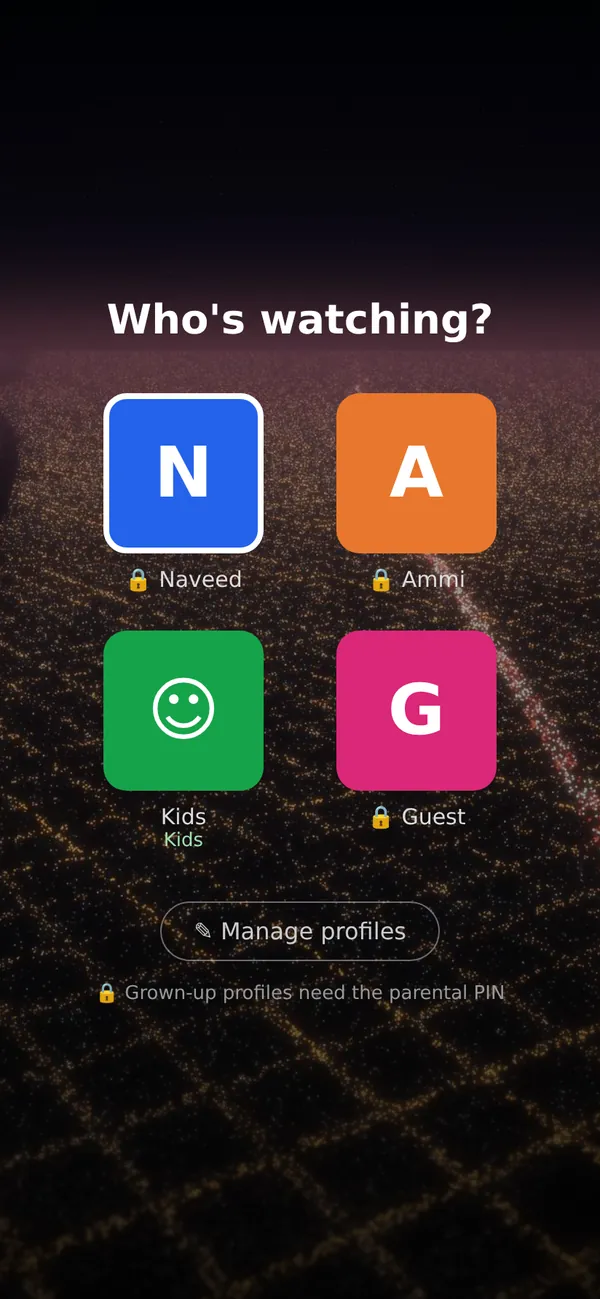
Up to 5 profiles per account, each with its own Continue Watching, favourites and recommendations.
Kids only see ALL and 7+ titles. Grown-up profiles and 16+/18+ titles are locked with your 4-digit PIN.
Every movie and series shows its age rating (ALL, 7+, 13+, 16+, 18+) from the official certificate.
Stop on the TV, carry on from the same minute on your phone. Your place is saved on every device.
Top 10 most-watched movies, live viewer counts and "New this week", so you always know what's hot.
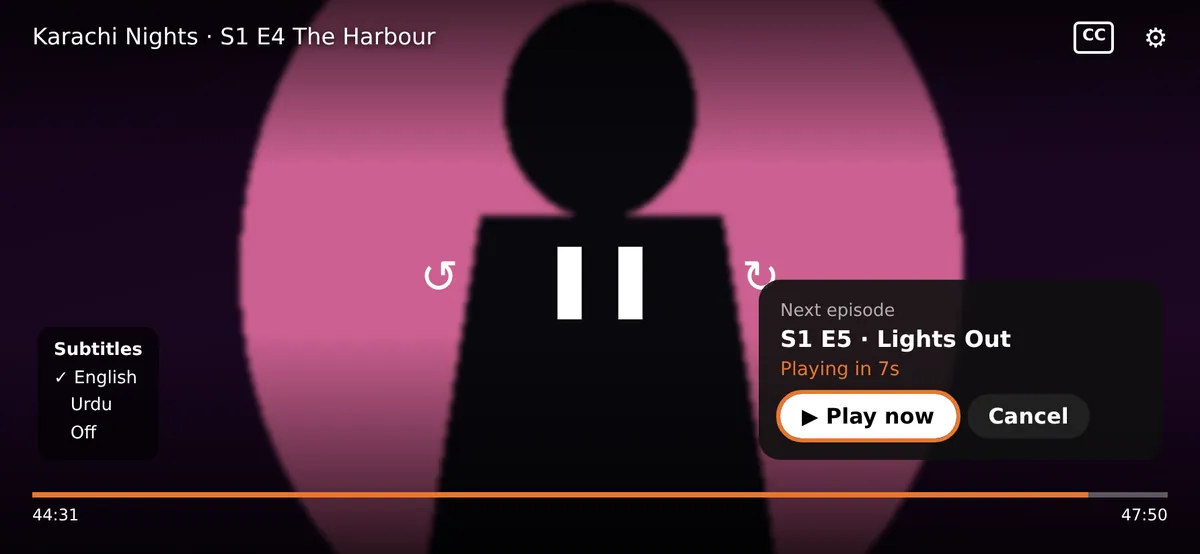
Series play on by themselves with a 10-second countdown; skip the opening titles with one tap.
English, Urdu and more subtitles (CC button), choice of audio language and playback speed in the player.
Watch the trailer before you start a movie or a series.
Save movies and episodes on your phone for travel, on Wi-Fi or mobile data.
Phones get a quality that adapts to your connection (720p / 480p): fast start, no buffering on 4G.
Like or dislike a title and "Recommended for you" learns what each profile enjoys.
A notification on your phone when new movies and series arrive.
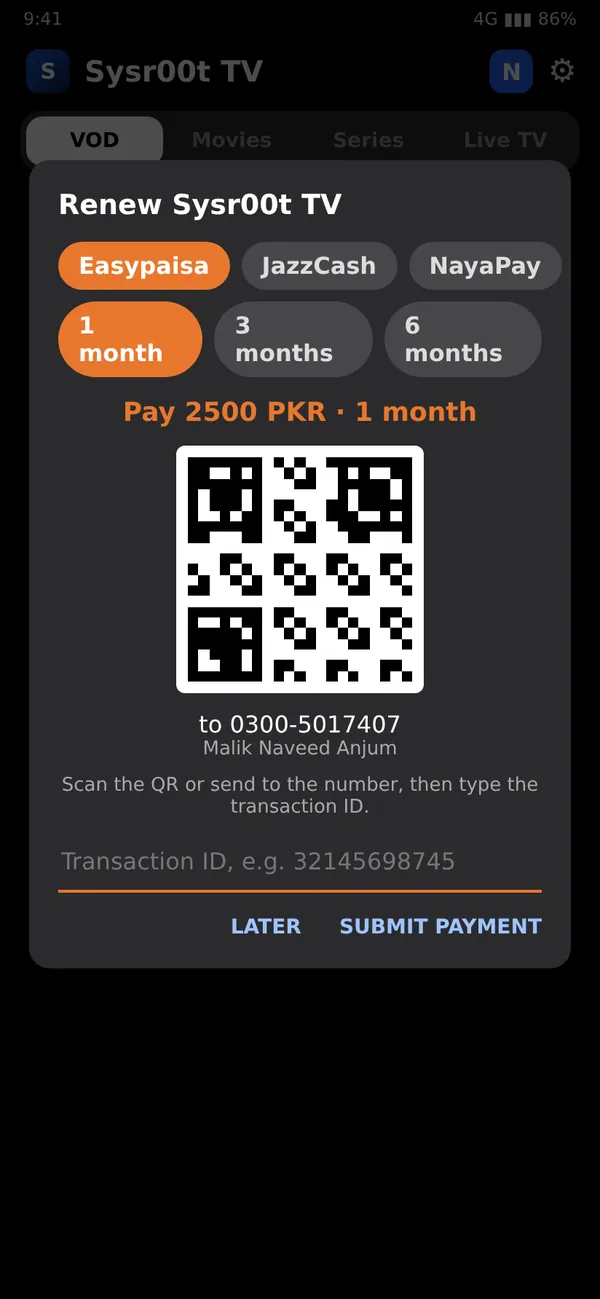
Easypaisa, JazzCash or NayaPay QR right in the app. A reminder appears 3 days before expiry.
Dolby (AC3 / E-AC3), DTS and more play on boxes and phones that normally stay silent.
Android TV boxes (with remote), Android phones and tablets. Smart TVs and other players with your Xtream login.
Every device has its own private key. The app updates itself with new features.
Activation, payments and support on WhatsApp. Real people, quick answers.
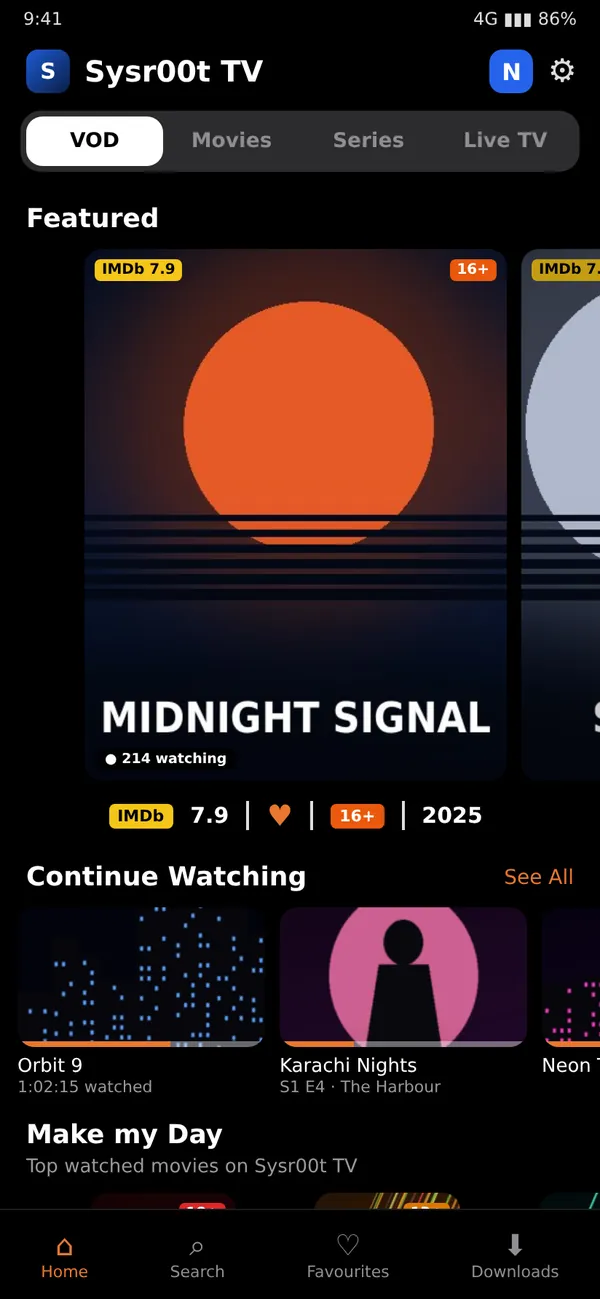
Tap a picture to see it bigger. App screens with sample titles.
The app opens on your family's profiles. Each person gets their own list, history and recommendations. The Kids profile is green and safe, and grown-up profiles are locked with your PIN, so children can't open them.

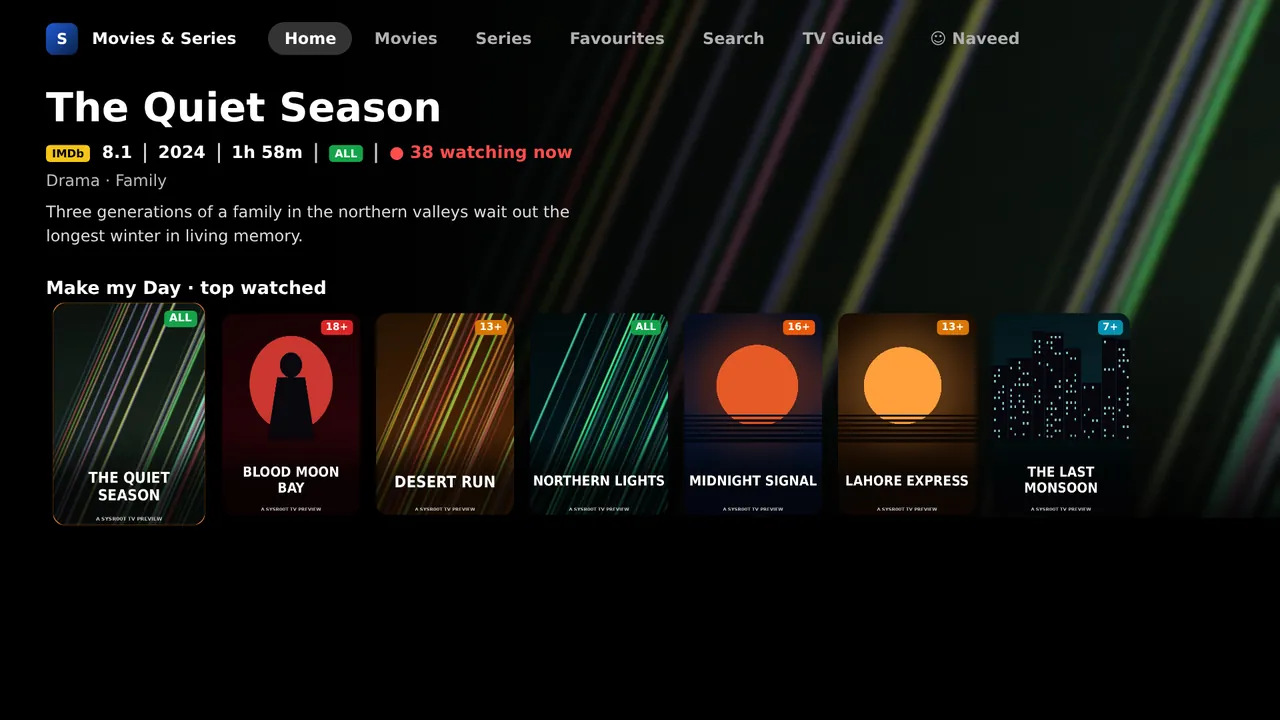
Big posters with IMDb ratings and age labels, live "watching now" counts, the Top 10 most-watched movies and everything you started but didn't finish.

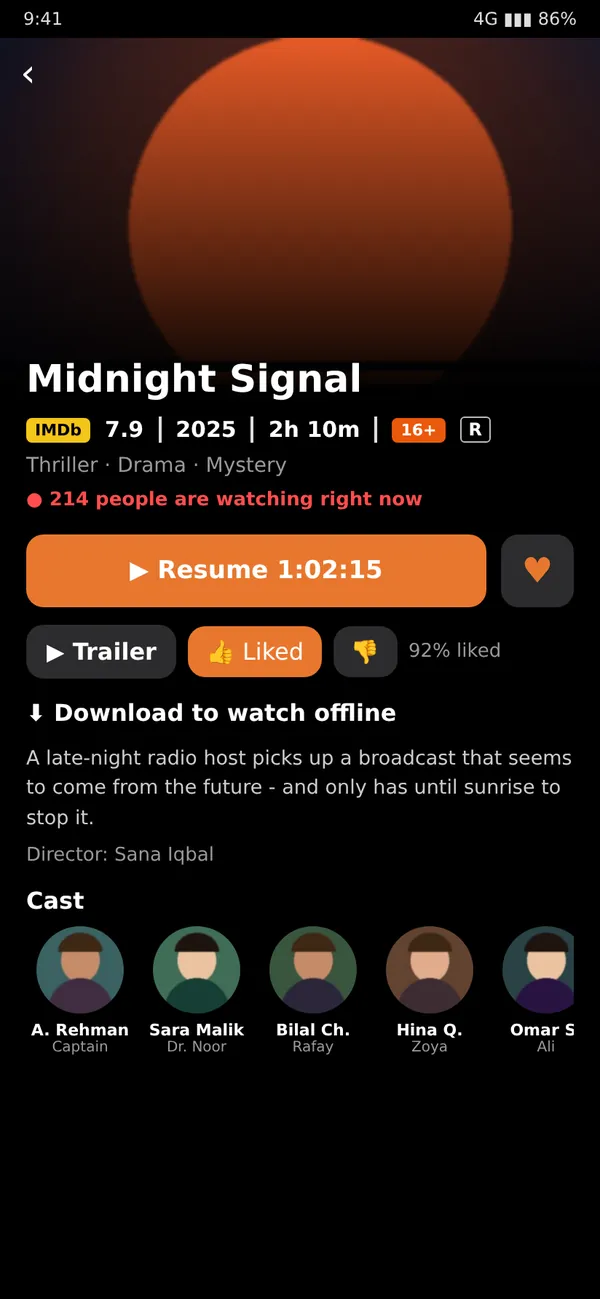
IMDb rating, year, runtime, age rating, genres, plot, director and cast with photos. Resume where you stopped, watch the trailer, like it, add to favourites or download it for later.

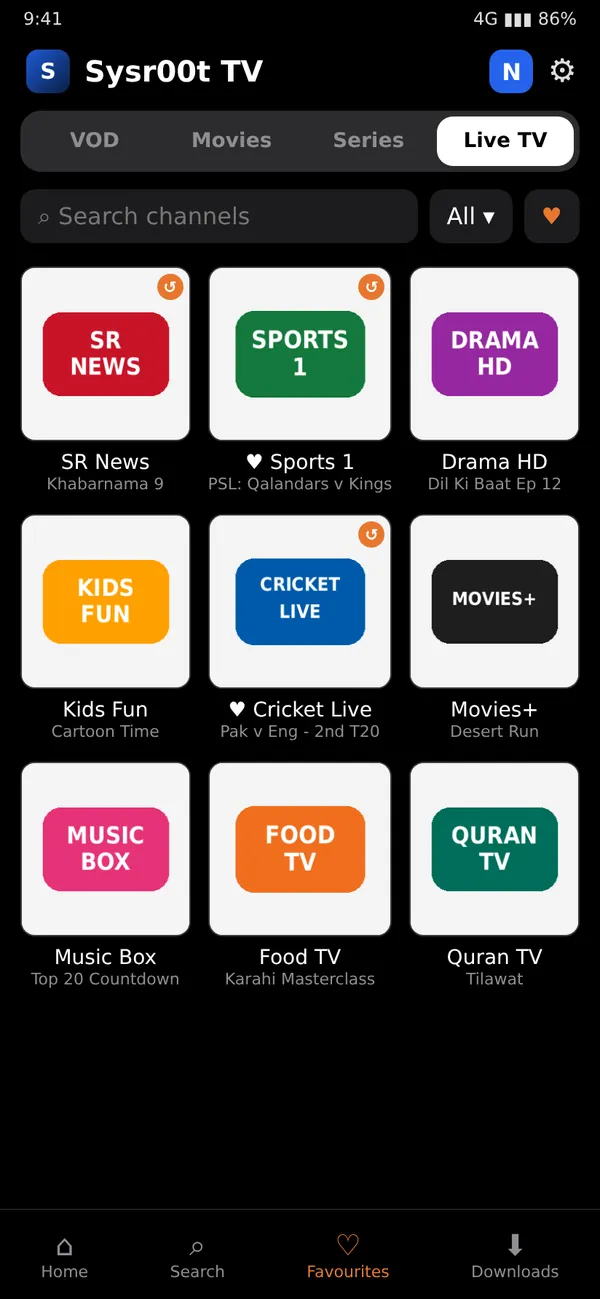
Every channel shows the programme on air. Channels with ↺ have catch-up. Swipe to switch channels in a blink; your favourites stay one tap away.

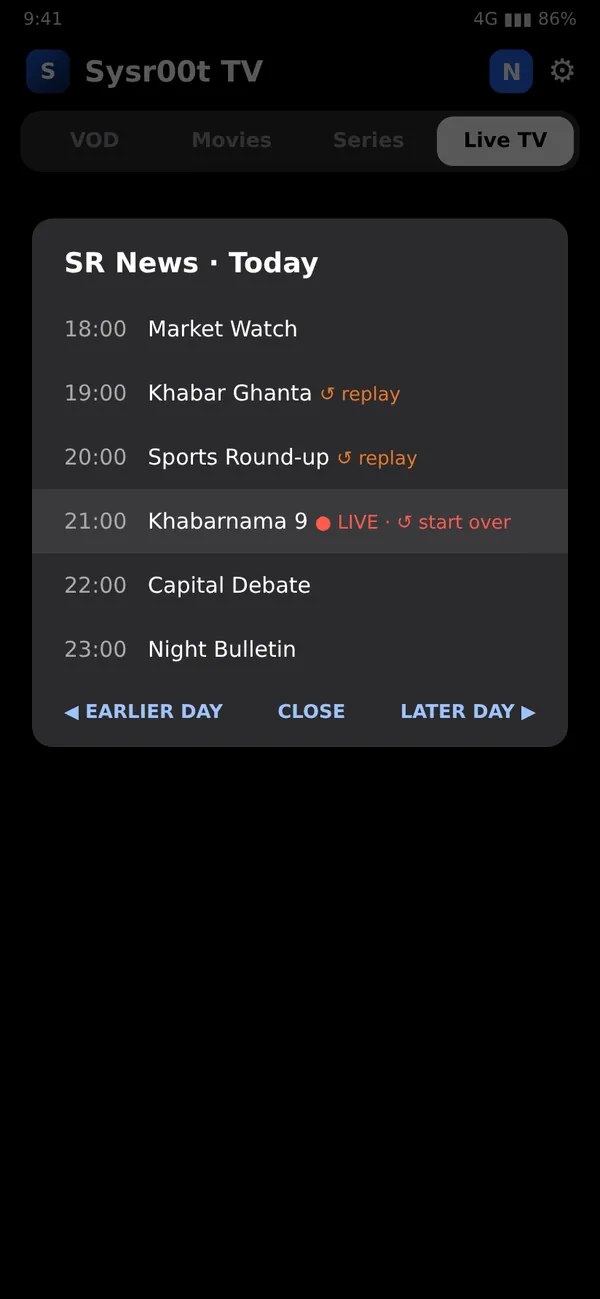
Open a channel's guide to see the whole day. Start the current programme from the beginning, or replay earlier shows, for up to a week.

Choose subtitles (English, Urdu…) and the audio language, skip the intro and let the next episode start by itself. Works with touch and with the TV remote.

A Movies & Series tile on the TV home screen, big previews as you move through the posters, a TV Guide tab with catch-up, and channel up/down on the remote.

Scan the Easypaisa, JazzCash or NayaPay QR, type the transaction ID, done. You get a reminder 3 days before your subscription ends.

Set it up once in the app: gear icon → Profiles & parental PIN.
Taken from the official film and TV certificates (PG-13, R, TV-MA and others), so you know what is suitable before you press play.
From registration to watching in four steps.
Fill in the short form below with your name and WhatsApp number.
Pay by Easypaisa, JazzCash or NayaPay QR and enter the transaction ID on this page.
Download Sysr00t TV on your box or phone. Takes about a minute.
Open the app, scan the QR with your phone and press Send in WhatsApp. Done.
One plan with everything. No contract, no hidden charges.
Your subscription runs for one month from activation. Longer periods (3, 6, 12 months) can be paid in one go. The app reminds you 3 days before it ends.
Pay 2500 PKR using any method below, then send the receipt screenshot with your registered mobile number on WhatsApp.
Pay again before your expiry date and send the receipt. Or renew inside the app: Account → Renew subscription. Your box continues without re-activation.
Takes one minute. We will confirm on WhatsApp with payment details.
Use the mobile number you have WhatsApp on: activation is confirmed from that number.
Choose your device.
tv.sysr00t.net/tv, then press Go.tv.sysr00t.net/tv, or download the app on a computer and copy it to a USB stick.Android 5.0 or newer. If you see “App not installed”, uninstall any older version of the app first and try again.
Samsung, LG and other smart TVs, iPhone, and players like IPTV Smarters, TiviMate or XCIPTV use an Xtream Codes login:
https://tv.sysr00t.netActivate from your WhatsApp: no passwords to type on the TV.
No camera? Send the 6-digit code to our WhatsApp number manually.
Open WhatsApp to activateAbout 2 Mbps per screen for live TV; movies on phones adapt to your connection (720p / 480p).
One subscription plays on one screen at a time. For a second TV, register a second subscription.
Any Android TV box or Android phone with Android 5.0 or newer. Smart TVs work through IPTV Smarters or similar players.
Pay 2500 PKR by JazzCash, Easypaisa or bank transfer before your expiry date and send the receipt on WhatsApp.
On channels marked ↺ you can start the programme that is on now from the beginning, or replay programmes from earlier days. Hold a channel (phone) or open the TV Guide tab (TV box) and pick the programme.
In the app open the gear icon → Profiles & parental PIN. Add a Kids profile and set a 4-digit PIN. Kids profiles only show ALL / 7+ titles, and grown-up profiles and 16+/18+ titles need the PIN.
Yes, on Android phones: open a movie or episode and tap Download. Downloads play offline while your subscription is active.
Where a title has them, tap the screen while it plays: CC for subtitles (English, Urdu and more), the gear for the audio language and speed.
Up to 5 per subscription, each with its own Continue Watching, favourites and recommendations. One screen plays at a time.
Uninstall any older version of the app from Settings → Apps, then install again. Your box needs Android 5.0 or newer.
Try another channel. If one channel stays down, message us on WhatsApp with the channel name; our team is alerted automatically too.